


Creating a home office that feels cozy and enhances productivity can transform your work-from-home experience. Whether you’re spending a few hours a day or working full-time at home, having a dedicated space that supports focus and comfort is essential. Here are practical tips to help you design an inviting, efficient home office.
1. Choose the Right Location
Finding the ideal spot in your home for your office is the first step.
– Natural Light: Select a space with plenty of natural light to reduce eye strain and boost mood.
– Quiet Area: Pick a quieter corner or room away from household distractions.
– Separate Space: If possible, keep your office separate from your relaxation or sleeping areas to help maintain work-life boundaries.
2. Invest in Comfortable Furniture
Comfort is key when you spend long hours working.
– Ergonomic Chair: A supportive chair that promotes good posture can prevent back and neck pain.
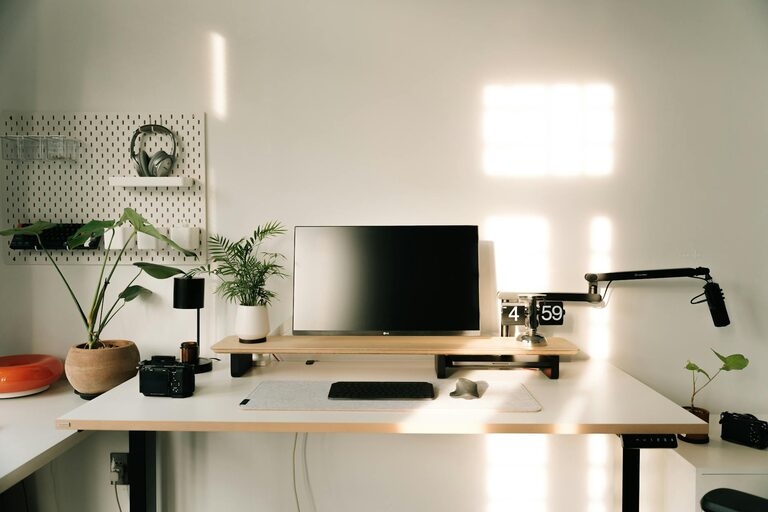
– Functional Desk: Choose a desk size that fits your workspace and meets your work needs, with enough room for your computer, documents, and other essentials.
– Adjustable Options: Consider desks or chairs with adjustable height to customize your setup for comfort.
3. Personalize Your Space
Adding personal touches can make your office space more welcoming.
– Color Palette: Use calming colors like soft blues or greens to create a peaceful atmosphere, or energizing hues like yellow for motivation.
– Artwork and Plants: Display artwork or photographs you enjoy, and incorporate plants to bring life and improve air quality.
– Favorite Items: Keep a few meaningful objects or mementos nearby to boost your mood.
4. Organize for Efficiency
A clutter-free space helps you stay focused and productive.
– Storage Solutions: Use shelves, drawers, or filing cabinets to keep papers and supplies organized.
– Desk Accessories: Utilize organizers for pens, notebooks, and cables to reduce mess.
– Digital Organization: Keep your desktop and digital files tidy to streamline your workflow.
5. Optimize Lighting
Proper lighting reduces eye fatigue and sets the right tone.
– Task Lighting: Use a desk lamp with adjustable brightness for focused tasks.
– Ambient Lighting: Complement natural light with soft overhead or floor lamps.
– Screen Positioning: Adjust your computer screen to minimize glare and reflections.
6. Minimize Distractions
Creating a distraction-free environment helps maintain concentration.
– Noise Control: Use noise-canceling headphones or white noise machines if your environment is noisy.
– Separate Work Hours: Set boundaries with family members or housemates to respect your work time.
– Turn Off Notifications: Limit interruptions by silencing unnecessary notifications during focused work.
7. Maintain Good Air Quality and Temperature
Comfort extends beyond furniture and organization.
– Ventilation: Ensure your workspace is well-ventilated with fresh air.
– Temperature Control: Use fans or heaters to keep the temperature comfortable year-round.
– Plants: Aside from decoration, certain indoor plants can help improve air quality.
8. Incorporate Movement Breaks
Staying active helps you maintain energy and focus.
– Standing Desk Option: Alternate between sitting and standing if possible.
– Stretching Area: Leave a small space for stretching or simple exercises.
– Scheduled Breaks: Plan short breaks to move around every hour.
Final Thoughts
With a few thoughtful adjustments, your home office can become a cozy haven that supports productivity and well-being. Remember, the best workspace is one that reflects your personal needs and preferences while maintaining a balance between comfort and efficiency. Start small, experiment with different arrangements, and enjoy creating a space where you can thrive.
Happy decorating and productive working!